

Direct Edition (Available Now)
Takes about 1 minute in Chrome, Brave, Edge, Arc, Vivaldi, or Opera.1
Download and unzip
Download 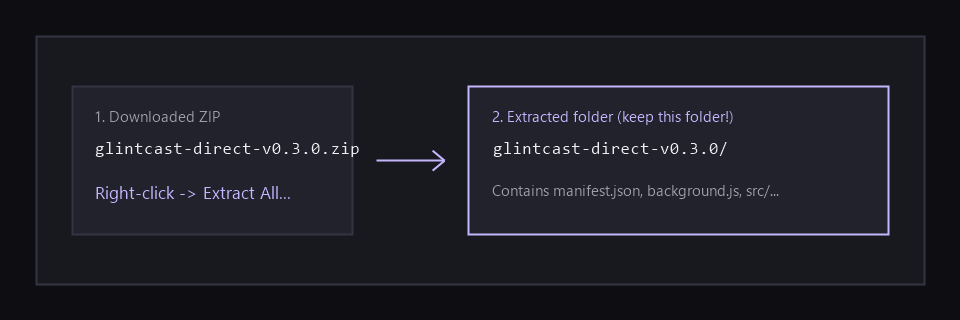
glintcast-direct-v0.3.0.zip from GitHub Releases.Right-click the .zip file and choose Extract All… into a folder you will not delete. Do not try to load the .zip file directly.2
Open extensions and turn on Developer mode
Open 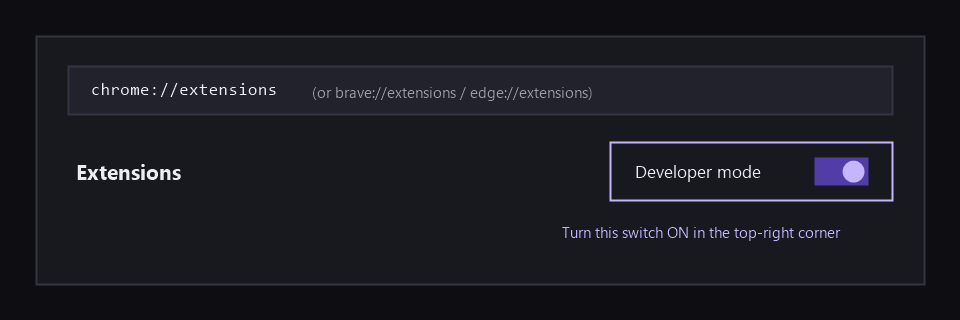
chrome://extensions (or brave://extensions or edge://extensions) in a new tab, then turn on Developer mode in the top-right corner.3
Click Load unpacked and refresh Twitch
Click Load unpacked, pick the unzipped 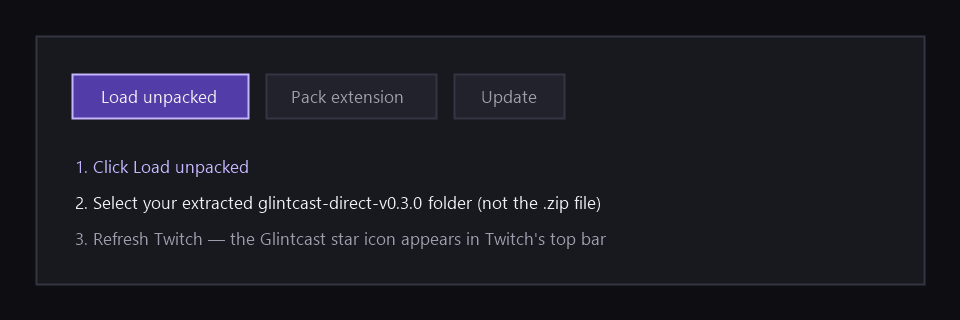
glintcast-direct-v0.3.0 folder, and refresh Twitch. The Glintcast star icon appears in Twitch’s top bar.Store Edition (Pending Review)
Glintcast is currently in review on the Chrome Web Store and Microsoft Edge Add-ons. Once approved, you will be able to install in one click with automatic updates. Want a quick email when it goes live? Notify me when it’s in the store.Which Edition Should I Pick?
Updating Glintcast
- Direct edition: Unzip the new release into the same folder, click Reload on Glintcast’s card in
chrome://extensions, and refresh Twitch. - Store edition: Updates happen automatically once live. Click Update on the top-bar icon to apply changes without stopping your stream.